

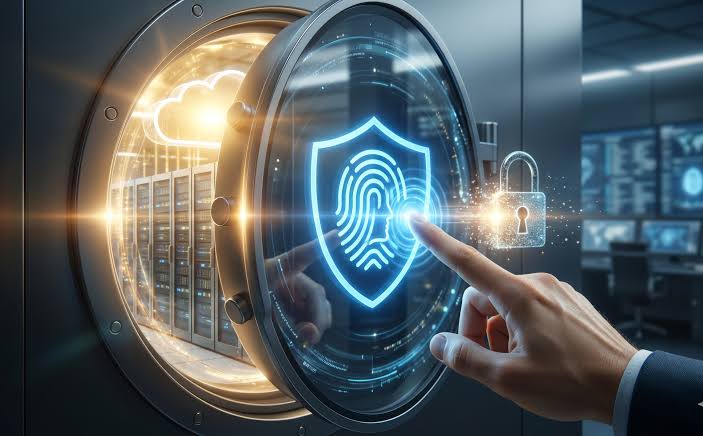
Digital security has become an essential part of everyday life as people increasingly depend on online banking, cloud platforms, mobile applications, remote working tools, and digital services. Traditional passwords have protected online accounts for decades, but they are becoming harder to manage in a world filled with cyber threats. People often reuse passwords across multiple accounts, choose predictable combinations, or store login details in insecure places. These habits create opportunities for cybercriminals to steal credentials and gain unauthorized access to personal or business information. Passwordless security offers a different approach by allowing users to verify their identities without entering a conventional password every time they sign in.
The growing interest in passwordless authentication reflects a broader shift toward security methods that are both convenient and resistant to common attacks. Technologies such as passkeys, biometric verification, hardware security keys, and cryptographic authentication are helping organizations reconsider how users access digital systems. The discussion around passwordless security through techloomz com highlights the importance of understanding these technologies and their potential role in building safer online experiences. Rather than relying entirely on memorized secrets, modern authentication methods use trusted devices, unique cryptographic credentials, or additional verification signals to confirm a person’s identity.
Passwordless security does not mean removing every form of identity verification. Instead, it changes how verification happens and reduces dependence on passwords that can be guessed, reused, or stolen through phishing. As organizations modernize their digital infrastructure, understanding the advantages and limitations of passwordless systems can help individuals and businesses make informed decisions about protecting their accounts.
Understanding Passwordless Security and How It Works
Passwordless security is an authentication approach that allows users to access accounts without typing a traditional password. Depending on the system, verification may involve a fingerprint, facial recognition, a physical security key, a trusted smartphone, or a one-time code. Some methods rely on cryptographic credentials stored securely on a device, while others use temporary verification codes delivered through an approved channel. Although these methods differ in design, their common purpose is to establish that the person requesting access is authorized to use the account.
One of the most important developments in this area is public-key cryptography. In a typical passkey system, a device or password manager creates a pair of related cryptographic keys. The private key remains protected by the user’s device or credential manager, while the public key is registered with the online service. During authentication, the service sends a challenge that the device signs using the private key. The service then verifies the signature using the corresponding public key. Because the private key is not transmitted to the website, an attacker who steals ordinary server-side account data cannot simply use that information to reproduce the authentication process.
The exact experience depends on the authentication method selected by the service. A user might approve a sign-in with a fingerprint, unlock a device with facial recognition, or connect a dedicated security key. Biometrics generally unlock the authentication credential locally rather than sending a fingerprint or facial image to the website. This distinction is important because the biometric check and the cryptographic verification perform different functions: one confirms local user presence, while the other proves possession of the registered credential.
Why Traditional Passwords Are Becoming Less Reliable
Passwords remain common because they are inexpensive to implement and familiar to users. However, their security depends heavily on human behavior. People who manage dozens or hundreds of accounts may find it difficult to create and remember a different, strong password for every service. As a result, many reuse credentials or make small changes to existing passwords. If one website experiences a data breach, attackers may attempt the exposed credentials on other services, a technique known as credential stuffing.
Phishing presents another significant challenge. Cybercriminals create convincing messages, fake login pages, and fraudulent notifications to persuade people to reveal their passwords. Even a complex password can become useless if a user enters it into a malicious website. Attackers may also use automated tools to test common password combinations or exploit information gathered from public profiles. Password managers and multifactor authentication can reduce these risks, but passwordless authentication can remove some of the underlying weaknesses by eliminating the need to type a reusable password into a login page.
Passwordless systems are not automatically immune to every attack. Criminals may still target account recovery procedures, steal devices, manipulate users into approving fraudulent requests, or compromise the systems that manage authentication. Temporary codes sent through email or text messages can also be intercepted or obtained through social engineering. Consequently, the strength of a passwordless solution depends on its implementation, the protection of registered devices, and the security of recovery and account-management processes.
The Main Technologies Behind Passwordless Authentication
Several technologies make passwordless authentication possible, and each offers a different balance of convenience, security, cost, and compatibility. Understanding these differences helps organizations choose a suitable approach instead of assuming that every password-free login system offers the same level of protection.
Passkeys and Public-Key Cryptography
Passkeys are among the most significant developments in modern authentication. They use cryptographic credentials associated with a website or application, allowing users to sign in without entering a conventional password. Depending on the platform, passkeys may be stored on a personal device or synchronized securely through a supported credential manager. Users can often verify themselves using the device’s normal unlocking method, making the process familiar and relatively simple.
An important security advantage is that passkeys are designed to resist many forms of phishing. A properly implemented passkey is associated with the intended website or service, so a fraudulent website generally cannot use the credential to authenticate to the legitimate service. This differs from passwords, which can be copied and submitted wherever an attacker manages to collect them. Passkeys can also reduce password-reset requests and simplify the login experience across supported devices.
Biometric Authentication
Biometric authentication uses characteristics such as fingerprints or facial features to help verify a user’s identity. Smartphones, laptops, and other devices increasingly include biometric sensors, making this option accessible without requiring additional hardware for many users. When biometrics unlock a locally stored passkey, the service can benefit from cryptographic authentication while the user enjoys a quick and familiar login process.
However, biometrics require careful privacy and accessibility considerations. A biometric characteristic cannot be changed as easily as a password if its associated data is compromised. Secure implementations therefore keep biometric processing within protected device components whenever possible rather than treating raw biometric information as a general-purpose password. Organizations should also provide alternative authentication methods for people whose devices lack biometric sensors or who cannot comfortably use them.
Security Keys and One-Time Codes
Physical security keys provide another passwordless option, particularly for high-value accounts and administrative access. A compatible key may connect through USB, NFC, or another supported interface and use cryptographic operations to verify a login. Because the user must possess the registered key, this method can provide strong protection against remote credential theft. Organizations may issue security keys to employees who manage sensitive systems or require elevated privileges.
One-time codes offer a different experience. A service may send a temporary code through an approved communication channel or generate one using an authenticator application. These codes can be useful when passkeys are unavailable, but they are not equally resistant to phishing. A code entered into a fraudulent login page may be captured and used quickly. For this reason, businesses should evaluate the actual security properties of each method instead of treating all passwordless approaches as interchangeable.
Comparing Common Passwordless Authentication Methods
The following table summarizes how widely used approaches differ in practical situations.
| Authentication method | Main advantage | Important limitation | Suitable use |
|---|---|---|---|
| Passkeys | Strong phishing resistance and convenient sign-in | Requires compatible services and credential support | Everyday accounts and business applications |
| Biometric verification | Quick and familiar user experience | Depends on device capabilities and privacy safeguards | Personal devices and supported workplace systems |
| Physical security keys | Strong protection against many remote attacks | Keys can be lost or unavailable | Administrators and high-risk accounts |
| One-time codes | Easy to deploy in many existing systems | Some delivery methods are vulnerable to phishing | Temporary access and fallback verification |
| Authenticator-based approval | Convenient for supported applications | Approval fatigue and social engineering remain possible | Workforce authentication and account verification |
No single method is ideal for every situation. A consumer application may prioritize quick access through passkeys, while an organization handling sensitive financial or technical information may require hardware security keys and additional controls for privileged accounts. One-time codes may still have a role in transitional systems, but organizations should understand their weaknesses and avoid using weaker methods as the default wherever stronger alternatives are practical.
How Passwordless Security Benefits Individuals and Businesses
For individuals, passwordless authentication can make digital life easier by reducing the need to remember and repeatedly enter complicated passwords. Someone who uses several online services may find it simpler to approve a login through a trusted device than to retrieve a password from memory. Passkeys can also reduce exposure to phishing because a credential designed for one legitimate service cannot normally be reused on an unrelated fraudulent website. When combined with device security and appropriate recovery options, these features can improve both convenience and protection.
Businesses can gain operational advantages as well. Password resets, account lockouts, and login-related support requests consume employee time and IT resources. A well-designed passwordless deployment may reduce these burdens while making authentication more consistent across business applications. Organizations can also apply stronger authentication requirements to administrators, remote workers, and employees accessing sensitive data. The discussion surrounding techloomz com reflects a wider interest in how digital security improvements can support productivity without forcing users to accept unnecessary complexity.
The benefits depend on implementation quality. Businesses must consider the costs of compatible devices, identity-management software, employee training, support procedures, and account recovery. They should also assess whether their existing applications support the required authentication standards. A carefully planned deployment can improve the overall user experience, whereas a rushed transition may create confusion and introduce new security weaknesses.
Passwordless Security in the Current Cybersecurity Landscape
Modern cybersecurity increasingly emphasizes identity protection because attackers frequently target legitimate accounts rather than attempting to break through technical defenses directly. Cloud services, remote working arrangements, and interconnected business applications have expanded the number of places where a compromised identity can cause damage. Passwordless authentication can strengthen this environment by reducing reliance on credentials that users repeatedly disclose or reuse.
Passkeys and other phishing-resistant authentication technologies are especially relevant as organizations strengthen identity and access management. Businesses are increasingly expected to consider not only whether a user has entered the correct credentials but also whether the authentication method is appropriate for the sensitivity of the requested action. For example, accessing a public information portal may require a different level of assurance than changing payment instructions, managing customer records, or administering cloud infrastructure.
Passwordless authentication also fits into a broader movement toward stronger, context-aware access controls. Some organizations combine modern authentication with device compliance checks, restricted permissions, monitoring, and additional verification for sensitive actions. These layers help address situations where a legitimate credential or device has been compromised. The goal is not simply to remove passwords but to build an authentication system that remains dependable under realistic attack conditions.
Practical Steps for Adopting Passwordless Security
Individuals and organizations can make the transition more effective by selecting appropriate methods, securing devices, and planning for situations in which normal authentication is unavailable. A few practical steps can provide a useful starting point.
- Enable passkeys on important accounts whenever the service supports them, especially for email, financial services, and primary identity accounts.
- Protect smartphones and computers with current software updates, a secure screen lock, and appropriate device-encryption features.
- Register a backup passkey or security key where supported, and keep recovery information in a secure location.
- Review account recovery settings and remove old devices or authentication methods that are no longer needed.
- Treat unexpected login approvals, verification requests, and recovery messages with caution.
Businesses should begin with an assessment of their existing identity infrastructure. IT teams can identify applications that support modern authentication standards, determine which user groups face the greatest risk, and conduct a limited pilot before deploying the system widely. Feedback from employees can reveal compatibility issues and help improve training materials. Administrators should also establish clear procedures for lost devices, employee departures, credential revocation, and emergency access.
Monitoring is equally important after deployment. Security teams should review unusual sign-in patterns, failed authentication attempts, repeated recovery requests, and suspicious changes to registered devices. Authentication policies should be reviewed regularly as applications, threats, and organizational requirements change. A passwordless program is most effective when it becomes part of an ongoing security strategy rather than a one-time technology upgrade.
Challenges and Limitations of Passwordless Systems
Despite its advantages, passwordless authentication introduces practical challenges that organizations must address. Device compatibility remains an important consideration because users may work across older computers, personal smartphones, shared workstations, and specialized business systems. A service that supports passkeys on one platform may provide a different experience on another. Organizations with complex technology environments may therefore need a gradual transition that preserves secure access for users whose equipment cannot immediately support the preferred method.
Account recovery is another critical issue. If a person loses a phone, replaces a computer, or loses access to a synchronized credential manager, they may need an alternative route into their account. Poorly designed recovery procedures can undermine an otherwise strong authentication system. For example, an attacker who cannot defeat a passkey might attempt to persuade customer support to reset the account using stolen personal information. Recovery procedures should therefore be designed with security requirements comparable to those used for ordinary authentication.
Privacy, accessibility, and user education also matter. Not every user can rely on facial recognition or fingerprint sensors, and not everyone has access to the same devices. Organizations should provide secure alternatives without unnecessarily weakening protection. They must also explain how authentication works, what information is processed locally, and how users can recover access safely. The broader lesson associated with techloomz com is that successful security depends on combining effective technology with practical policies and a user experience that people can understand.
The Future of Passwordless Security
Passwordless authentication is likely to become more common as operating systems, browsers, enterprise platforms, and online services improve their support for passkeys and related standards. As users become more familiar with signing in through trusted devices, the expectation of typing a password for every account may gradually decline. Organizations may also find it easier to extend strong authentication across cloud applications and internal systems as interoperability improves.
Future developments will likely focus on making credentials easier to manage across multiple devices while preserving user control and security. Businesses will continue evaluating synchronization, portability, recovery, and compatibility because these factors determine whether passwordless systems work reliably outside ideal conditions. Advances in identity verification may also support more adaptive security policies, although additional signals should be evaluated carefully to avoid unnecessary data collection or unjustified confidence in automated decisions.
Passwordless systems will not eliminate cybercrime. Attackers will continue looking for weaknesses in account recovery, social engineering, compromised devices, and poorly configured services. Nevertheless, reducing dependence on reusable passwords can remove a major source of risk. The strongest long-term approach combines phishing-resistant authentication with secure devices, limited access privileges, monitoring, and regular security reviews.
Conclusion
Passwordless security represents an important development in how individuals and organizations protect digital identities. By using passkeys, cryptographic credentials, biometric verification, and hardware security keys, modern authentication systems can reduce reliance on passwords that are frequently reused, stolen, or exposed through phishing. These technologies can improve login convenience while providing stronger protection when implemented correctly. The transition requires more than enabling a new sign-in option. Organizations must consider compatibility, account recovery, privacy, accessibility, and ongoing monitoring. Individuals should secure their devices, maintain suitable recovery options, and remain alert to suspicious requests. A balanced approach allows users to benefit from modern authentication without overlooking the risks that remain.