
Microcontrollers are at the heart of many modern electronic devices, from smart home appliances and fitness trackers to industrial machines and connected environmental sensors. These compact computing components allow electronic systems to read information from their surroundings, process instructions, and respond automatically. For beginners interested in electronics, programming, robotics, or the Internet of Things (IoT), building practical projects is an effective way to understand how hardware and software work together. Instead of learning concepts only through theory, learners can experiment with real components and observe the results of their code.
The growing interest in affordable development boards has made electronics experimentation more accessible to students, hobbyists, and aspiring engineers. A basic project might involve switching on an LED, while a more advanced experiment could measure room temperature, monitor soil moisture, or control a small robot. Each project introduces useful concepts, including digital inputs, analog signals, programming logic, circuit design, and troubleshooting. The key is to begin with manageable tasks and gradually introduce new challenges as confidence improves.
What Is a Microcontroller and How Does It Work?
A microcontroller is a small integrated circuit designed to control specific tasks within an electronic system. It typically contains a processor, memory, and input/output connections on a single chip. Unlike a general-purpose computer, which can run many different applications, a microcontroller is usually programmed to perform a defined set of operations. For example, a microcontroller in an automatic lighting system can receive information from a motion sensor, evaluate whether movement has occurred, and switch on a light when necessary.
Most beginner projects follow a simple cycle: collect information, process it, and produce an output. Sensors collect information such as temperature, light intensity, distance, or moisture. The microcontroller processes that information according to instructions written in software. Outputs can include LEDs, buzzers, displays, motors, or wireless signals. Understanding this relationship between inputs, logic, and outputs helps learners approach more complicated projects with confidence.
Best Microcontroller Projects for Beginners
1. LED Blinking and Light Control
An LED blinking circuit is one of the easiest ways to begin working with microcontrollers. The project involves connecting a light-emitting diode to an appropriate output pin through a current-limiting resistor and writing a short program that switches the pin on and off. Although the result may appear simple, the exercise introduces important concepts such as digital outputs, timing, program execution, and basic circuit connections.
Once the basic circuit works, learners can experiment with different blinking patterns, longer delays, or multiple LEDs that illuminate in a sequence. A traffic-light simulation is a natural extension because it requires the program to follow a particular order and timing schedule. Learners can also create a warning-light pattern using different colors. These variations help develop programming logic without introducing too many hardware complications at once.
2. Automatic Night Light Using a Light Sensor
An automatic night light demonstrates how a microcontroller can respond to environmental conditions. The circuit uses a light-dependent resistor or another suitable light sensor to measure the brightness of the surrounding area. When the environment becomes darker than a selected threshold, the program activates an LED. When sufficient light returns, the LED switches off.
This project teaches analog readings, conditional statements, and threshold selection. Beginners can observe how the sensor’s readings change when it is covered or exposed to a bright light source. They can then adjust the threshold to reduce unwanted switching when the brightness fluctuates around the selected value. A more advanced version could include a gradual dimming effect or a timer that turns the light off after a set period.
3. Digital Temperature Monitoring System
A temperature monitoring system is a practical introduction to sensor-based electronics. Using a compatible temperature sensor, the microcontroller reads measurements and displays them on a small screen or sends them to a computer. Depending on the selected sensor, the project may measure room temperature, monitor a small enclosure, or track changes in a controlled environment.
The learning value extends beyond simply displaying a number. Beginners can compare readings at different times, establish temperature thresholds, and program an alert when a measurement exceeds a selected limit. An LCD or OLED display makes the project more useful because measurements are visible without connecting the board to a computer. However, learners should remember that low-cost sensors have accuracy limitations and are not automatically suitable for medical, industrial safety, or other high-stakes measurements.
4. Smart Plant Watering Assistant
A smart plant watering assistant uses a soil-moisture sensor to help determine when a plant may need water. The microcontroller reads the sensor and indicates whether the soil is relatively dry or moist. A simple version uses LEDs to communicate the result, while a more advanced design can control a small pump through an appropriate driver circuit.
This project connects electronics with gardening and resource management. Beginners can test different soil conditions and observe how sensor readings change. They can also introduce a delay between measurements to avoid unnecessary repeated readings and add a minimum interval between watering cycles. Sensor readings should be calibrated for the particular soil and sensor because moisture measurements can vary significantly. A pump should never be powered directly from a microcontroller pin, and the water supply should be physically separated from exposed electronics.
5. Ultrasonic Distance Measurement
An ultrasonic distance-measuring project uses a sensor that emits sound pulses and measures the returning echo. The microcontroller calculates an approximate distance based on the time taken for the sound to travel to an object and return. The result can be displayed on a screen, indicated through LEDs, or used to trigger a buzzer when an object approaches.
This experiment introduces timing calculations, sensor communication, and the relationship between physical measurements and numerical data. It can also serve as a foundation for parking-assistance demonstrations, obstacle detection, or simple robotics. Beginners should test the sensor with objects of different shapes and materials because measurement reliability depends on the environment and the surface being detected.
Choosing the Right Microcontroller Board
Selecting a development board is easier when beginners consider their current skills and future project goals. A board intended for basic circuit experiments may be sufficient for learning digital inputs and outputs, while a wireless board is more suitable for projects involving mobile dashboards or connected sensors. The goal should be to choose hardware that supports the next few learning steps without creating unnecessary complexity.
For readers researching project ideas through techloomz com, the following comparison provides a practical starting point. Actual capabilities depend on the exact board model, available libraries, and connected components.
| Development board | Suitable beginner projects | Main learning advantage |
|---|---|---|
| Arduino Uno-compatible board | LEDs, buttons, displays, basic sensors | Straightforward digital and analog experiments |
| ESP32 development board | Wireless sensors, connected devices, remote monitoring | Wi-Fi, Bluetooth on supported models, and IoT concepts |
| Raspberry Pi Pico | Sensor experiments, automation, basic robotics | Embedded programming and hardware control |
| Arduino Nano-compatible board | Compact sensor circuits and portable prototypes | Learning to work with smaller circuit layouts |
The board is only one part of a successful project. Beginners also need compatible cables, a breadboard, jumper wires, suitable resistors, and a stable power source. A small component kit can cover many early experiments, making it unnecessary to buy a separate set of materials for every new idea. Before purchasing anything, check the board’s operating voltage, pin limits, supported interfaces, and compatibility with the intended sensors.
Essential Tools and Components for Learning
A beginner does not need a fully equipped electronics laboratory to build useful projects. A breadboard makes it possible to assemble and modify many low-voltage circuits without soldering, while jumper wires provide temporary electrical connections. LEDs, resistors, push buttons, and a few basic sensors are enough for a wide range of introductory experiments. A USB cable supports programming and may power the board, provided the board and computer support the selected connection.
A digital multimeter is another valuable tool because it can help measure voltage, resistance, and continuity. These measurements make it easier to identify incorrect connections and understand why a circuit is not working. Learners who progress toward permanent projects may later explore soldering tools, protective enclosures, and a regulated external power supply. However, purchasing more equipment will not automatically improve learning; understanding the behavior of a few components is more important than collecting a large assortment.
A Practical Learning Roadmap for Beginners
Learning microcontroller programming becomes more manageable when projects are arranged by difficulty. Instead of attempting a wireless robot immediately, start with a simple output circuit and gradually introduce sensors, decision-making, displays, and communication. Each stage builds on skills acquired earlier, reducing the number of unfamiliar concepts that must be understood at the same time.
A useful learning sequence includes the following stages:
-
Begin with LEDs, resistors, buttons, and digital input/output operations.
-
Introduce sensor readings, conditional statements, and basic calculations.
-
Add displays, buzzers, motors, and suitable driver circuits.
-
Explore wireless communication, data logging, and simple connected applications.
-
Combine familiar components into a complete project that solves a practical problem.
After each stage, modify the original project rather than immediately moving to a new tutorial. For example, an LED experiment can become a pedestrian crossing simulator, while a temperature monitor can become an alert system. Making these changes encourages independent thinking and demonstrates whether the underlying concepts have been understood.
Learning Basic Programming Concepts
Most microcontroller projects rely on a few fundamental programming ideas. Variables store information, conditions determine which instructions should run, and loops allow repeated operations. Functions help organize code into smaller, reusable sections. Beginners who understand these concepts can adapt existing examples to different sensors and outputs instead of depending on a complete, ready-made program for every experiment.
Timing is particularly important in embedded programming. A program may need to read a sensor at regular intervals, update a display, and respond to a button without creating unnecessary delays. Simple examples often use delay functions because they are easy to understand, but more advanced projects may benefit from non-blocking timing techniques. Learning when each approach is appropriate helps prepare beginners for systems that must perform several tasks efficiently.
Practical Project Ideas and Their Real-World Applications
Microcontroller projects become more engaging when learners connect them to familiar problems. A room-temperature monitor can demonstrate environmental sensing, while a light-sensitive circuit can help explain energy-conscious lighting. A distance sensor can model the basic behavior of an obstacle detector, and a plant-monitoring system can illustrate how data supports everyday decisions. These projects are educational prototypes rather than complete commercial products, but they demonstrate the principles used in many real electronic systems.
The following table connects project difficulty with the skills required to build each prototype.
| Project idea | Difficulty | Main concepts learned |
|---|---|---|
| LED blinking circuit | Very easy | Digital outputs and timing |
| Button-controlled light | Easy | Digital inputs and conditions |
| Automatic night light | Easy | Analog readings and thresholds |
| Temperature display | Beginner to intermediate | Sensor data and display control |
| Soil-moisture monitor | Beginner to intermediate | Calibration and data interpretation |
| Ultrasonic distance meter | Intermediate | Timing and measurement |
| Wi-Fi sensor dashboard | Intermediate | Wireless communication and IoT |
Current Trends in Microcontroller Learning
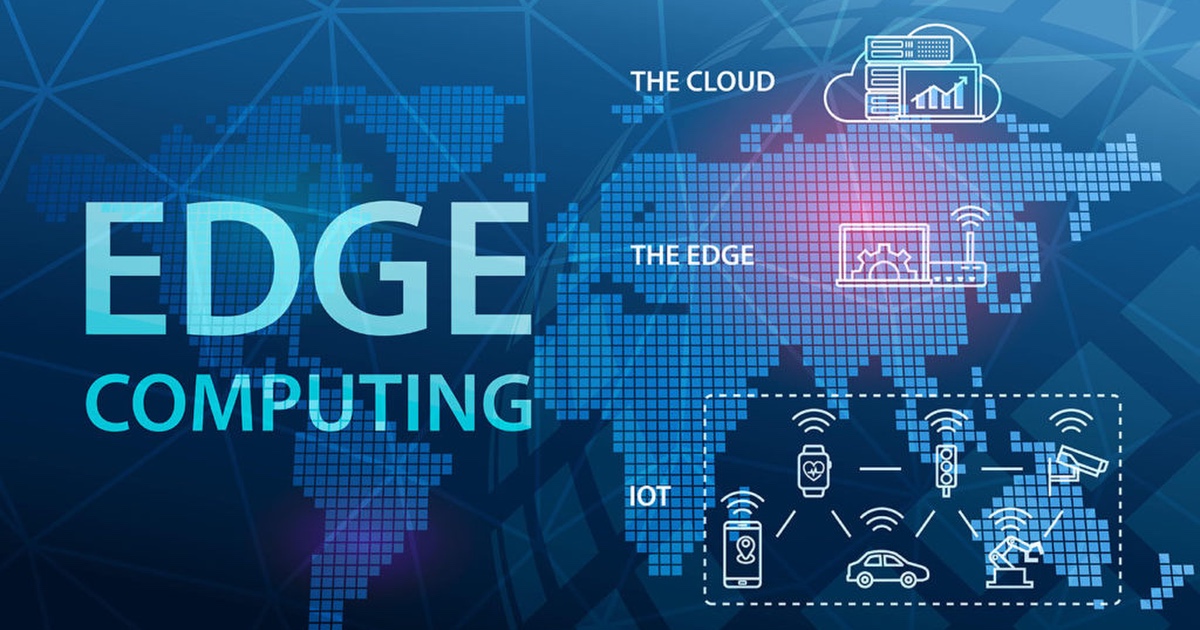
Microcontroller development continues to evolve alongside connected devices, edge computing, energy-efficient electronics, and accessible programming tools. Wireless development boards make it easier to build prototypes that collect sensor data and share it across a local network. Some projects can process information directly on the device instead of continuously sending every measurement to a remote service. This approach can reduce network dependence and improve responsiveness, although the available processing power and memory vary by board.
Artificial intelligence is also influencing embedded development. Beginners can use AI coding assistants to explain unfamiliar instructions, suggest debugging steps, or help organize a project. However, generated code should always be checked against the board’s documentation and tested carefully. Incorrect pin assignments, unsupported libraries, unsafe power assumptions, and faulty logic can cause a prototype to behave unexpectedly. Understanding the code remains essential even when an assistant helps produce the first version.
Another important trend is the use of connected sensors in energy monitoring, agriculture, environmental observation, and home automation. A student might build a prototype that records temperature and humidity, while a hobbyist could explore how a microcontroller monitors electricity-related sensor data using appropriately rated equipment. These applications demonstrate why basic electronics knowledge remains valuable even as development tools become easier to use.
Common Mistakes Beginners Should Avoid
One of the most frequent mistakes is connecting components without checking their electrical requirements. LEDs generally need current-limiting resistors, motors often require driver circuits, and many sensors cannot tolerate every voltage level supplied by a development board. Beginners should check the documentation for each component before connecting it. They should also avoid drawing excessive current from GPIO pins and ensure that external power supplies are appropriate for the connected hardware.
Another common problem is changing several things simultaneously during troubleshooting. If a project fails, check the wiring, power supply, program logic, and component specifications one at a time. Read error messages carefully, test individual components with simple programs, and verify that the selected library supports the actual board. This systematic approach makes it easier to identify the underlying cause rather than introducing more errors through random adjustments.
Power management and environmental protection also deserve attention. A project powered through USB may behave differently when connected to an external supply, especially if motors, displays, or wireless modules are added. Keep liquids away from exposed circuits, avoid short circuits, and disconnect power before changing wiring. Beginners should remain with low-voltage educational setups and seek qualified guidance before working with mains electricity, high-current batteries, or equipment that presents a serious electrical hazard.
How to Turn a Beginner Project into a Portfolio
A completed project becomes more valuable when its purpose, design, and behavior are clearly documented. Rather than displaying only a photograph of a working circuit, explain the problem the project addresses, the components used, the program’s logic, and the challenges encountered during development. Include test results where possible and describe any limitations, such as inconsistent sensor readings or restricted wireless range.
A strong project portfolio can begin with three or four carefully documented experiments. For example, a learner might present an automatic light, a temperature monitor, and a distance-measuring device. Each project should demonstrate a different skill, with explanations of how the circuit works and why particular design decisions were made. As experience grows, these smaller experiments can lead to more substantial projects involving wireless monitoring, data logging, or several sensors working together.
Conclusion
Microcontroller projects provide an accessible way to learn electronics and programming through practical experimentation. Starting with an LED circuit and progressing toward sensor monitoring, automatic controls, robotics, and wireless applications allows beginners to develop skills in a logical order. Each project introduces new concepts while reinforcing the relationship between hardware, software, and real-world behavior. The most effective learning strategy is to choose manageable projects, understand every major component, test changes systematically, and document the results. Affordable development boards and readily available components make it possible to explore embedded systems without a large initial investment. With consistent practice, beginners can move beyond following tutorials and start designing their own solutions to everyday problems.